Everything your Boox tablet
deserves in a calendar

Not a port. Not a compromise. A calendar reimagined from the ground up for Boox devices and stylus input.
Stylus-first writing
Google Calendar sync
Boox Notes integration
AI planning assistant
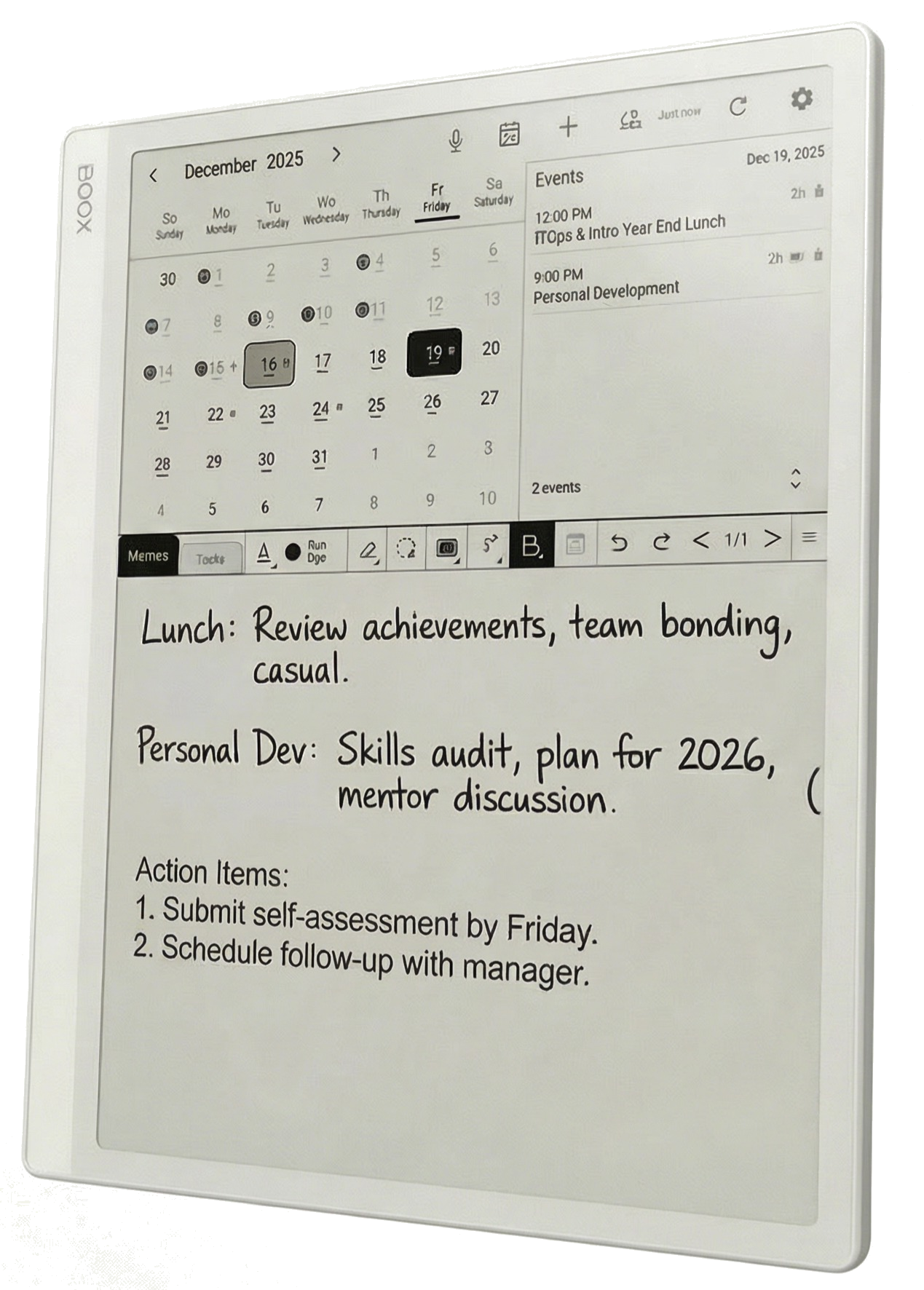
BooxDay app on Onyx Boox tablet
Three Views, One App

Each tab built for its purpose

Not one toolbar fits all. Each view has specialized tools tailored for what you're doing—writing memos, managing tasks, or navigating your calendar.

Calendar View

Your command center

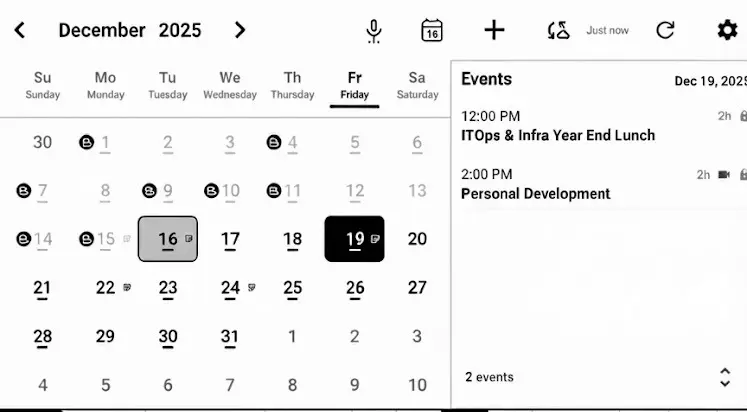
BooxDay Calendar View with Boox Notes badges
Voice-to-event
Quick add event
Live sync status
Quick settings

The "B" badges show days with linked Boox Notes. Checkmarks indicate tasks. See your whole month at a glance with Google Calendar events synced in real-time.

Memos Tab

Your thinking space

BooxDay Memos Toolbar
5 pen types
Lasso select
Insert images
Create tables
AI summarize
Translate

Full drawing toolkit with ballpoint, fountain pen, brush, marker, and pencil. Insert images, tables, backgrounds. AI can summarize your handwriting or convert memos to tasks.

Tasks Tab

Your productivity hub

BooxDay Tasks Toolbar
Quick add task
Bulk move/copy
Export to Excel
Task analytics
Plan My Day
AI priority sort

Streamlined for task management. AI can plan your day, break down complex tasks, sort by priority, and give you daily/weekly summaries of your productivity patterns.

Core Experience

Writing that feels like paper

You bought a Boox tablet because you love writing by hand. Every other calendar treats your stylus as an afterthought. We built ours around it.

Zero-latency strokes Built on the Onyx SDK for instant ink response. Your pen moves, ink follows. No lag, no delay.
4,096 pressure levels Light strokes for notes, heavy strokes for emphasis. Your natural writing style, preserved.
Multiple pen modes Ballpoint for crisp text. Brush for expressive headers. Marker for highlights. Pencil for sketches.
Unlimited memo pages Write as much as you need. Each day gets its own canvas. No artificial limits.

Why it matters

Most calendar apps were designed for thumbs on glass. Touch targets sized for phone screens. Tiny text inputs. BooxDay was designed for a stylus in your hand and a 10" canvas in front of you. That changes everything.
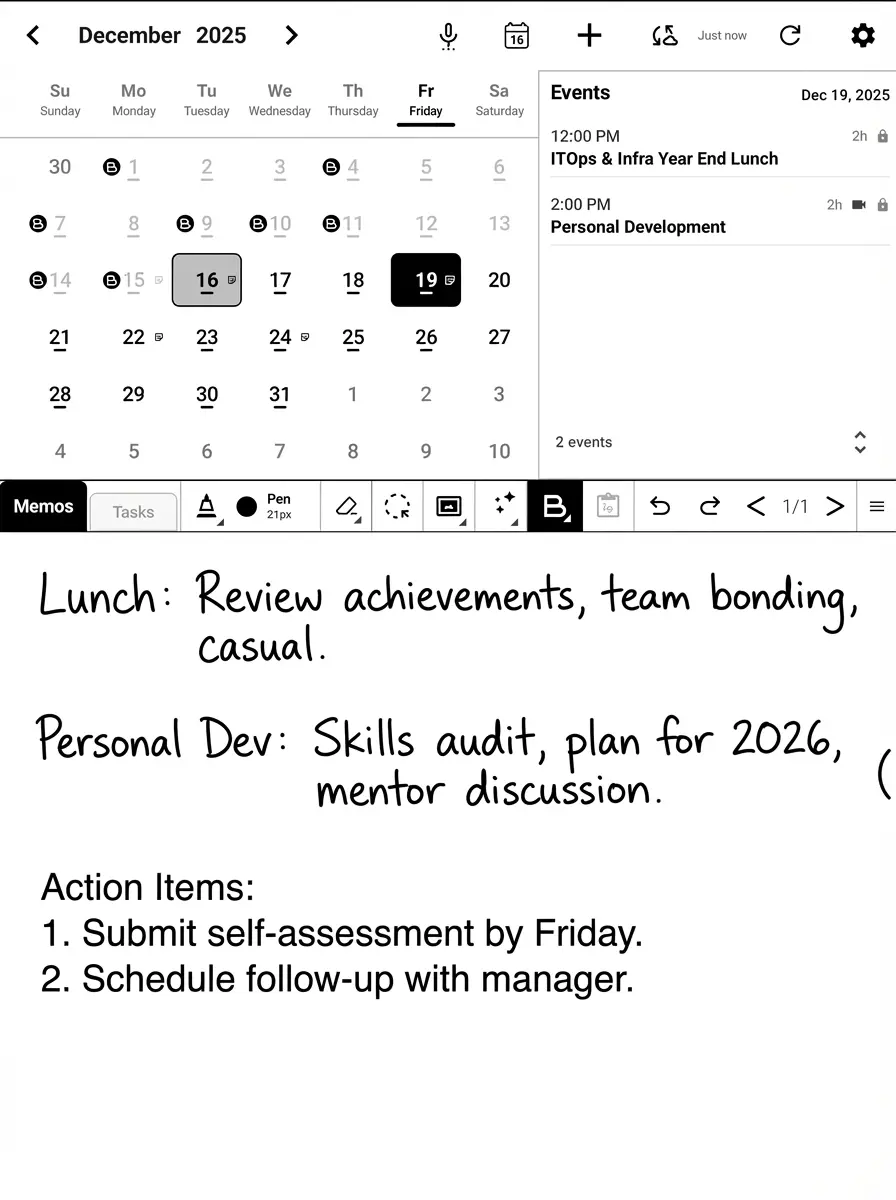
BooxDay memo canvas with handwritten notes
Stay Connected

Real sync, not read-only import

Your life doesn't live in one place. Meetings scheduled on your phone. Events added on your laptop. BooxDay keeps everything in sync.

True two-way sync Create an event on your Boox, see it on your phone. Update anywhere, synced everywhere.
Background auto-sync Set it and forget it. BooxDay syncs automatically at your preferred interval.
Multiple calendars Work, personal, family, projects—choose which calendars to display. Toggle visibility anytime.
Works offline No wifi? No problem. Everything works locally. Syncs automatically when you reconnect.

Why it matters

Your Boox tablet is your focused thinking space. But you still need your schedule. Google Calendar sync means you get the best of both worlds—connected when you need it, distraction-free when you don't.
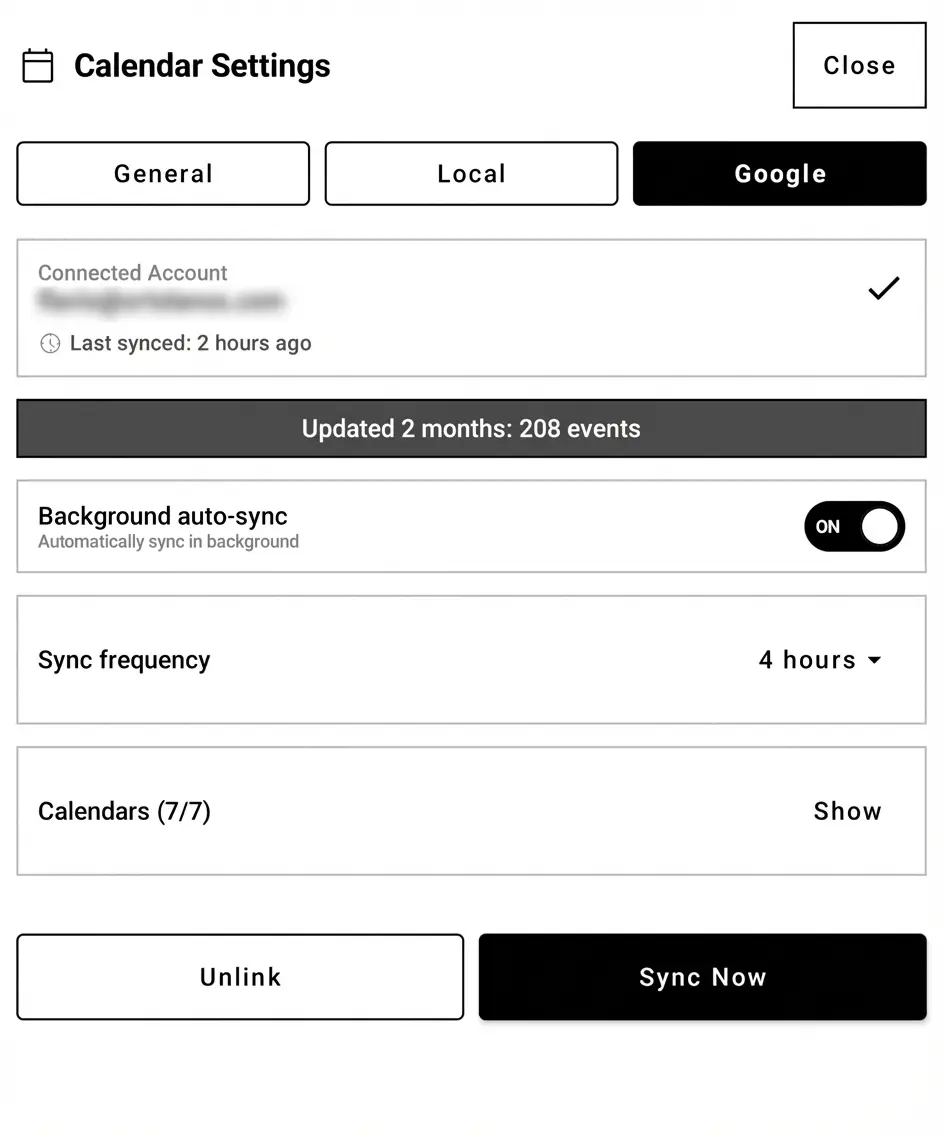
BooxDay Google Calendar sync settings
World First

Your Boox Notes, finally connected

You've spent hours crafting beautiful handwritten notes in Boox Notes. Meeting notes, project plans, creative ideas. Until now, they lived in isolation.

The first calendar app to integrate with Boox Notes. Ever. No other app on the planet offers this. Your notes and your calendar, finally talking to each other.
Browse all your notebooks Every folder, every notebook, every page—accessible right from BooxDay.
Link notes to events Attach your meeting notes to the meeting. Link project plans to deadlines. Connect ideas to action.
Preview without switching Quick preview shows your note's content without leaving your calendar view.
One tap to open Need to dive deeper? One tap opens the full note in Boox Notes.

Why it matters

You take notes for a reason. To remember. To act. To reference later. But notes without context get lost. Linking them to your calendar creates a system where your past thinking enhances your future planning.
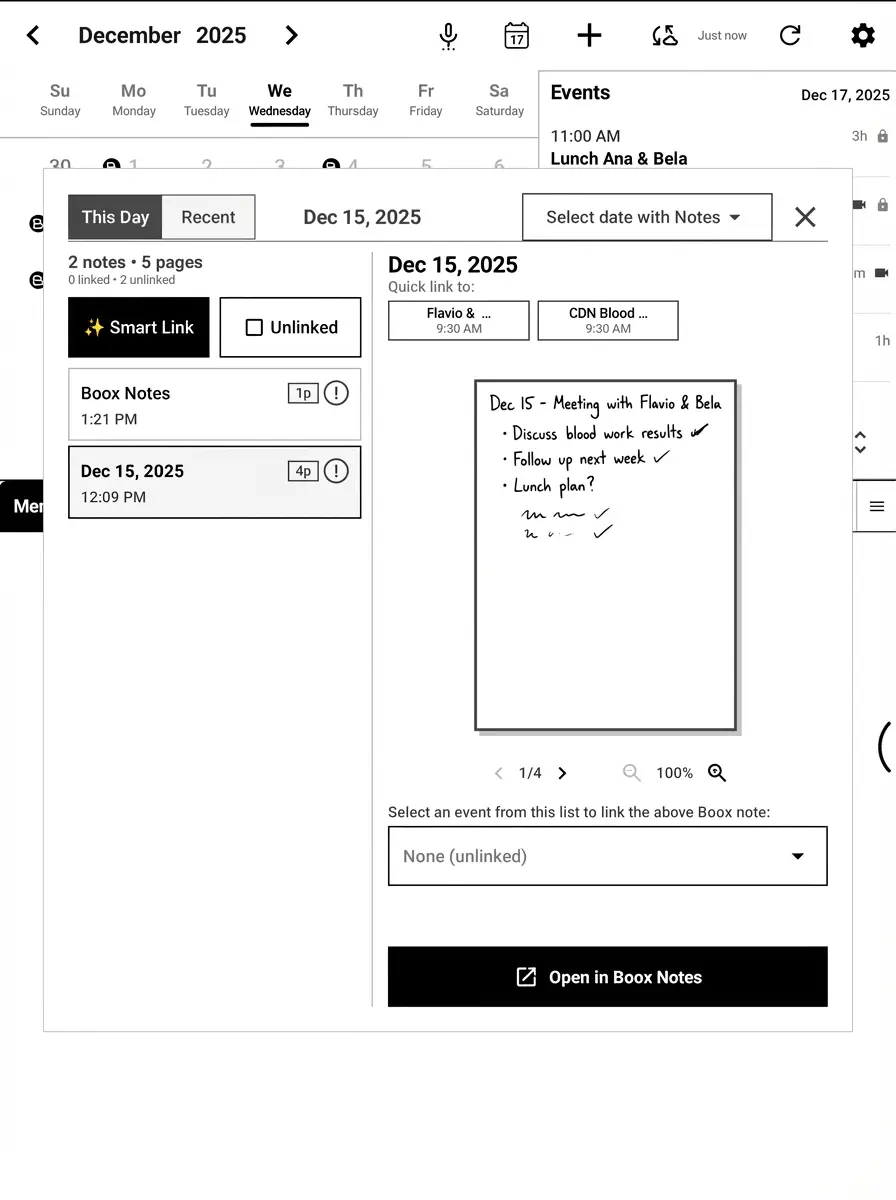
BooxDay Boox Notes integration
AI That Gets You

Your intelligent planning partner

AI that doesn't just assist—it collaborates. Not generic suggestions. Personalized guidance based on your life, your patterns, your priorities.

Learns who you are 2-minute setup. Tell it your priorities, energy patterns, lifestyle. Get suggestions that actually fit your life.
Voice to everything "Meeting with Sarah Tuesday at 3pm"—speak naturally, watch it appear. Events, tasks, notes. Your voice, your way.
Smart suggestions AI spots patterns. Suggests time blocks for deep work. Flags overcommitment. Catches zombie tasks you keep migrating.
Handwriting recognition Convert your handwritten tasks to text. Let AI summarize your memo pages. Handwriting meets intelligence.

Why it matters

Most productivity AI gives the same advice to everyone. Wake up at 5am. Time-block everything. But you're not everyone. BooxDay's AI learns that you're a night owl with kids and a flexible schedule—and adjusts accordingly.
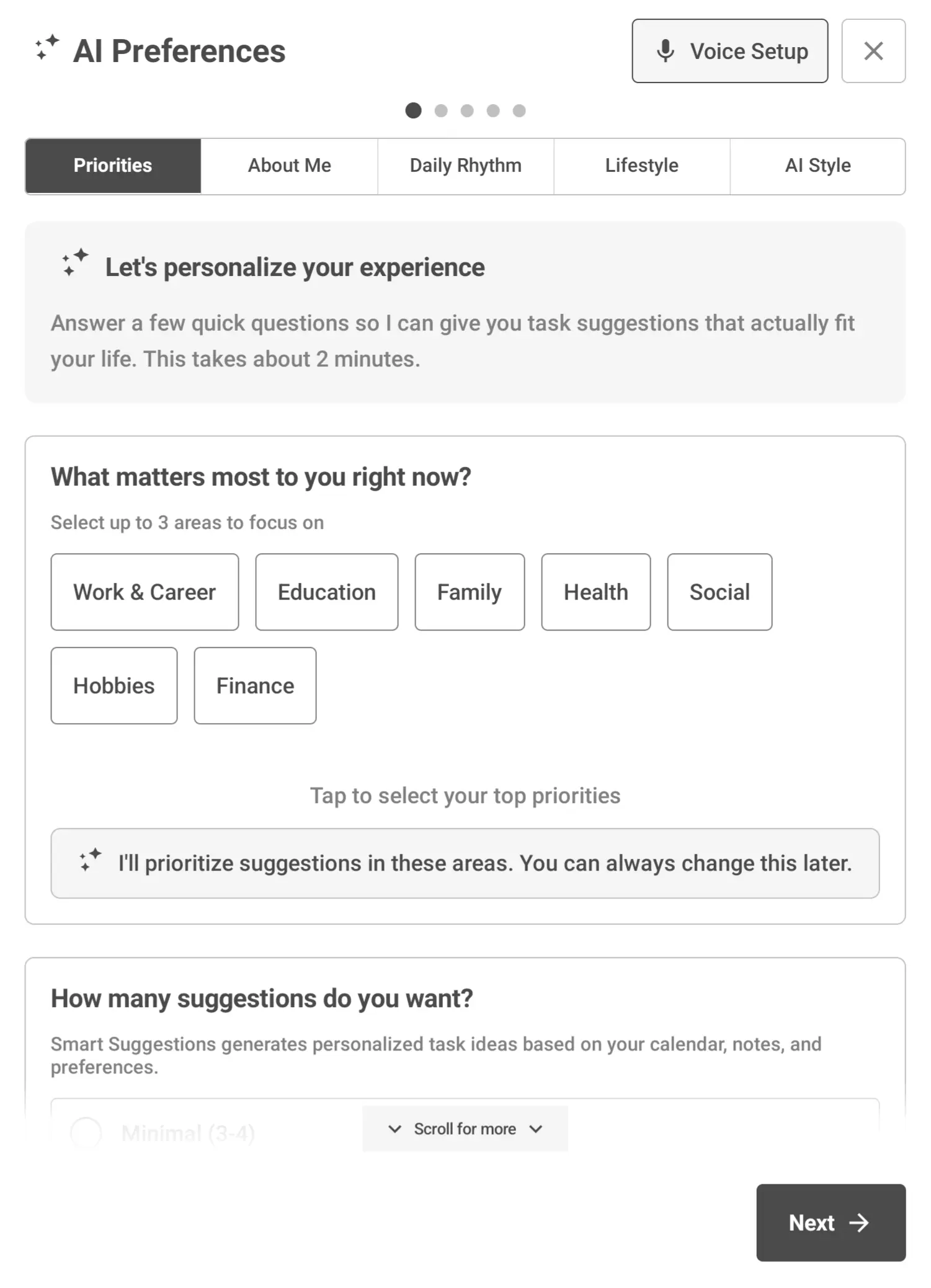
BooxDay AI Preferences personalization
Handwritten To-Dos

Tasks that feel like paper, work like software

Bullet journaling meets digital organization. Write your to-dos by hand, let the system help you stay on track.

Handwritten or typed Scribble quick tasks with your stylus. Or type them out. Mix both in the same list.
Priority levels A, B, C priorities. Visual badges. Sort by importance. Focus on what matters most.
Smart migration Didn't finish today? Migrate to tomorrow with one tap. AI tracks patterns to help you plan realistically.
Task breakdown Big task feeling overwhelming? AI suggests subtasks. Break it down, get it done.

Why it matters

Paper planners feel good but lack structure. Digital task apps have features but feel sterile. BooxDay gives you the tactile satisfaction of handwriting with the organizational power of software.
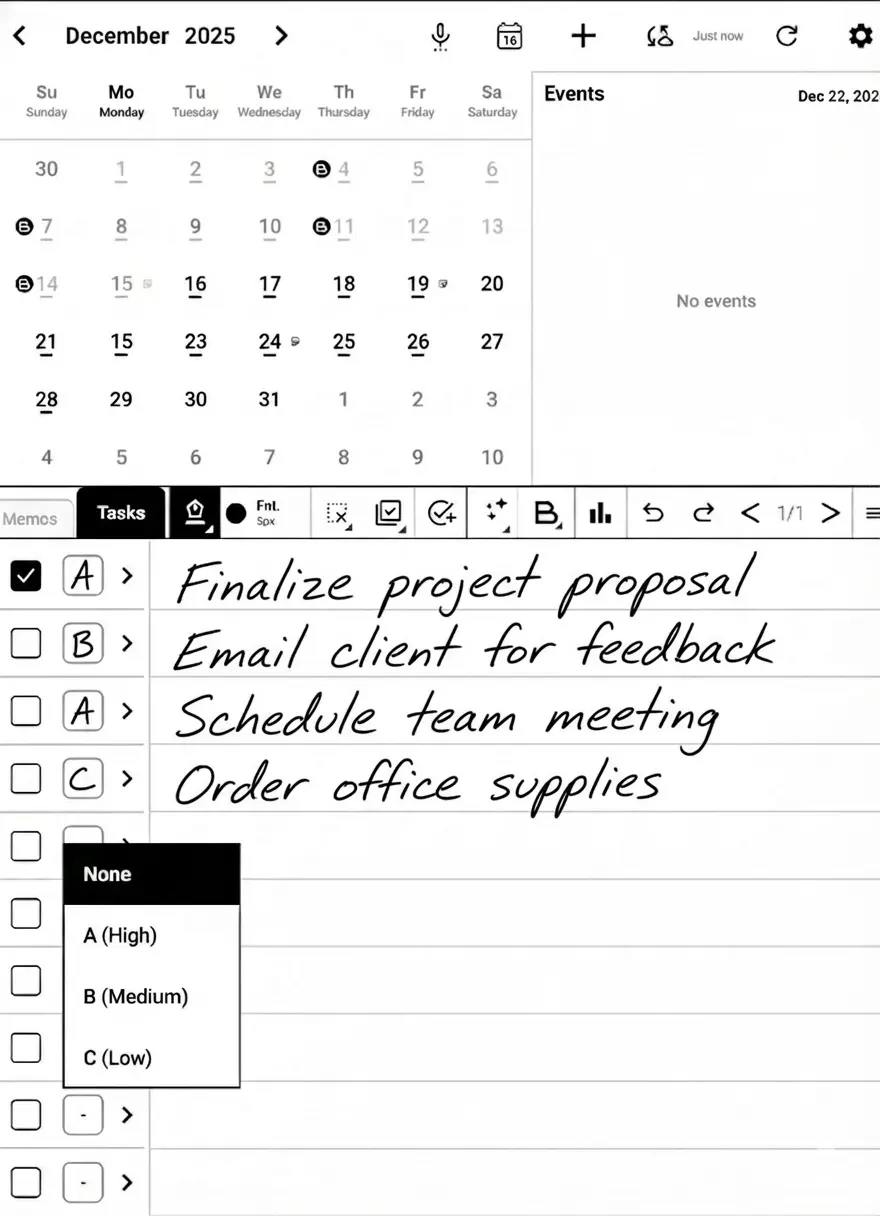
BooxDay Tasks with handwritten to-dos
Your Data, Your Control

Privacy isn't a feature. It's a foundation.

Your handwritten thoughts are personal. Your schedule is sensitive. We built BooxDay to keep your data exactly where you want it.

Local-first storage Your data lives on your device, in a folder you can see and control. Not on our servers.
Handwriting stays private Your handwritten strokes never leave your device. Period. Only typed text syncs with Google.
No account required Use BooxDay completely offline. No signup. No tracking. Google sync is optional.
Full data export Export to PDF, PNG, or Xournal++ format. Your data is always portable.

Why it matters

You chose a Boox tablet partly because you value focus and intentionality. You shouldn't have to sacrifice privacy for functionality. BooxDay proves you can have both.

0 User accounts required
0 Tracking pixels
100% Local-first data
Speak Naturally

Your voice becomes your productivity tool

Sometimes typing is too slow and writing isn't practical. Just speak. BooxDay understands.

Voice to Event "Dentist appointment Friday at 2pm"—natural language becomes calendar entries instantly.
Voice to Task "Buy groceries, high priority, by Saturday"—AI parses task, priority, and deadline.
Adaptive silence detection No more cut-off sentences. The system waits for you to finish your thought.

Why it matters

Ideas don't wait. When inspiration strikes during a walk or your hands are full, voice input captures your thoughts before they evaporate. Speak now, organize later.
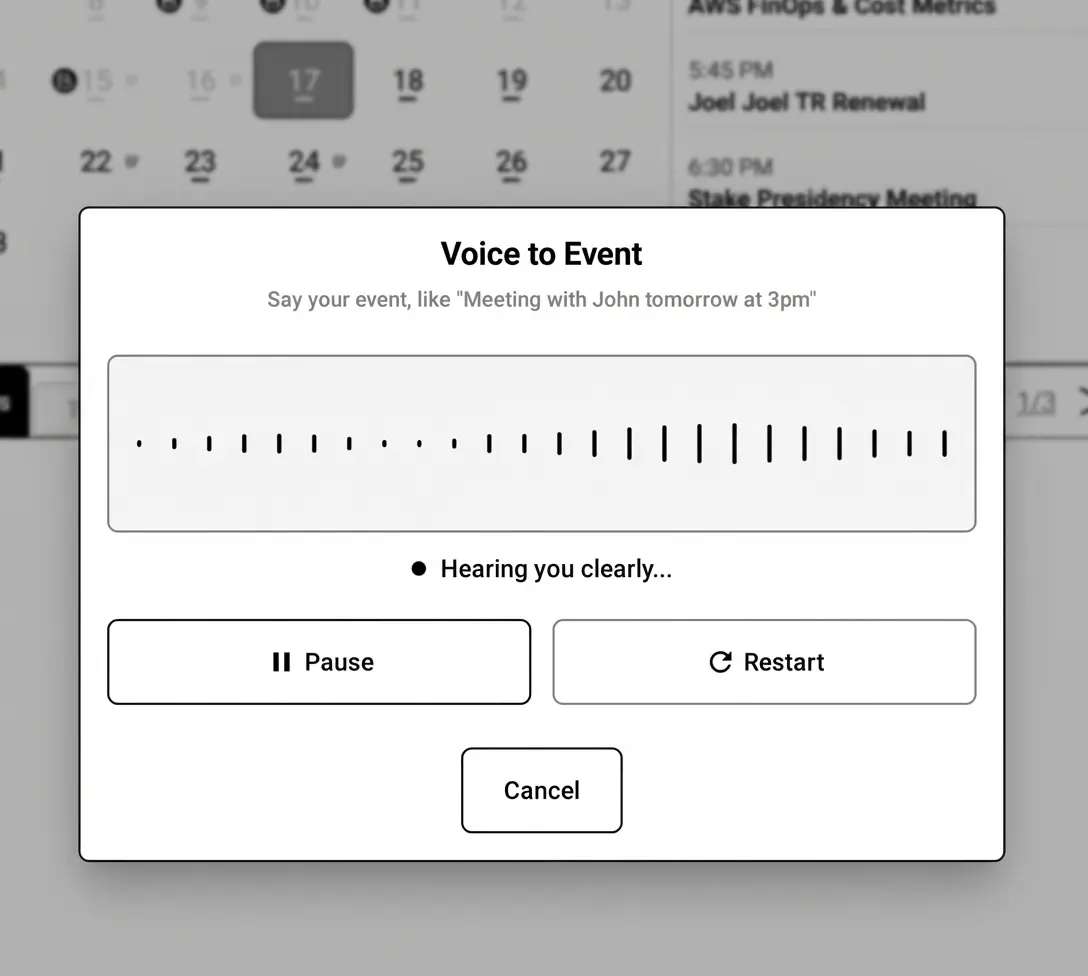
BooxDay Voice to Event dialog
Under the Hood

Built with care, powered by modern tech

We chose every technology for a reason. Performance on e-ink. Reliability for your data. Flexibility for your workflow.

Jetpack Compose Modern Android UI for buttery-smooth performance
Onyx SDK Native e-ink optimization and stylus integration
Room Database Your data stored locally, fast and secure
Google Calendar API Official integration for reliable sync
Multiple AI Models Gemini, Nova, GPT—choose what works for you
Android 12+ Built for modern Boox devices
Compatibility

Works with your Boox tablet

Optimized for Onyx Boox e-ink devices with stylus support. From the compact Note Air to the expansive Tab X.
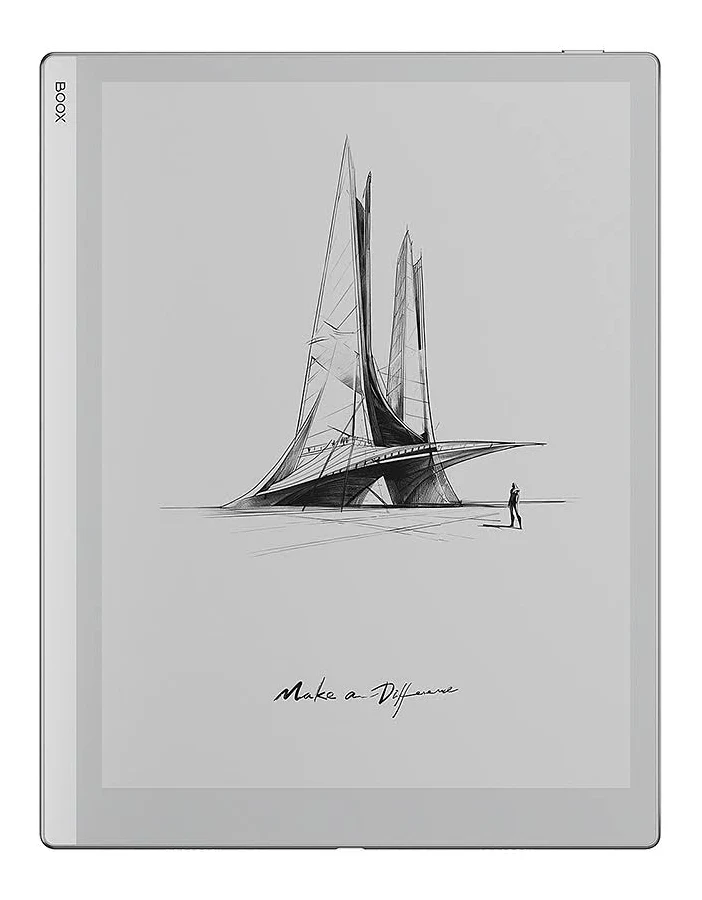
Boox Go 10.3 Go 10.3
Boox Note Air 3C Note Air 3C
Boox Note Air 4C Note Air 4C
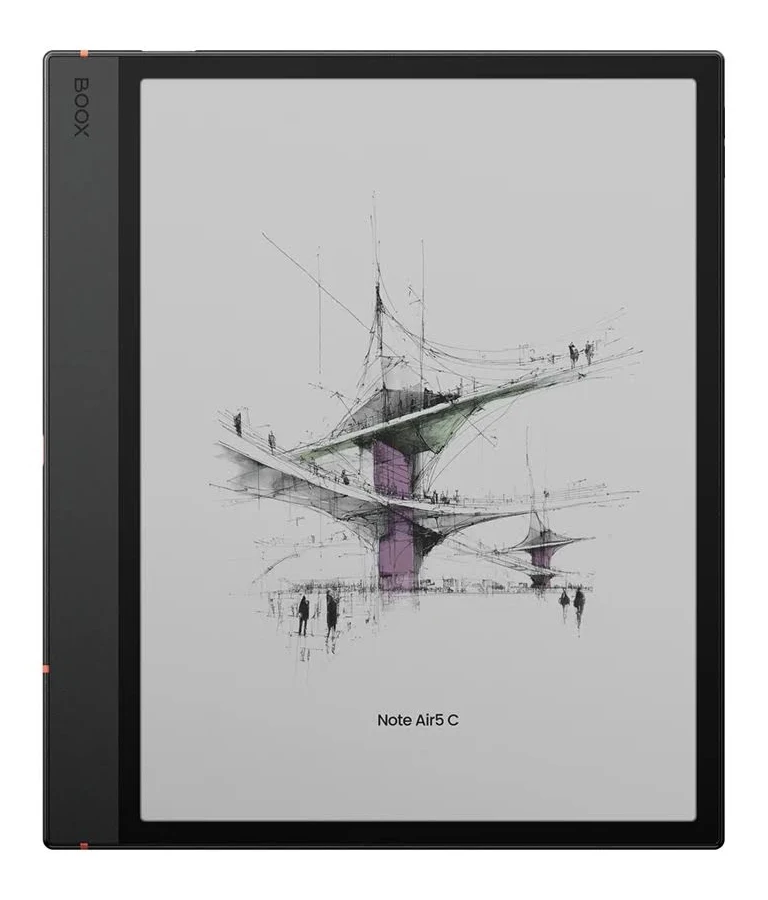
Boox Note Air 5C Note Air 5C
Boox Note Max Note Max
Boox Tab X Tab X

Requires Android 12+ · Optimized for devices with stylus support

Ready to transform how you plan?

Join thousands of Boox users who've discovered a better way to organize their days. Start free—no account required.

Free tier available · One-time Pro purchase · No subscription